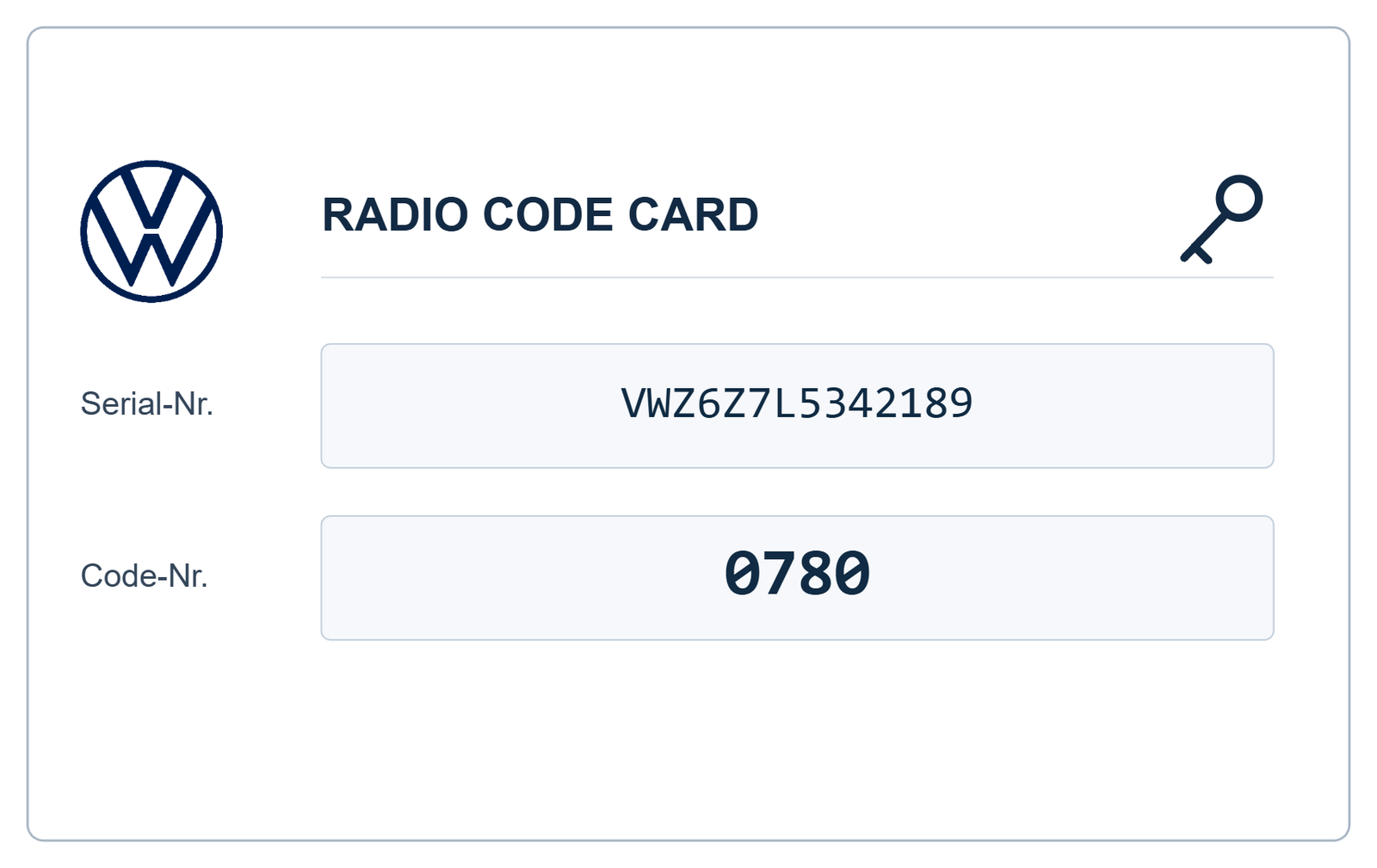

VW Radio Code Lookup – Find Your Volkswagen Radio Code Online
Need to look up your Volkswagen radio code? If your VW stereo is displaying SAFE, CODE or requesting a four-digit security PIN, you may need to retrieve the original security information to unlock your audio system.
A VW radio code lookup helps identify the correct security code associated with a compatible Volkswagen radio. Whether you have lost your original code card, purchased a second-hand radio or replaced your factory stereo, the first step is identifying the exact radio model and serial number.
With VWCodes.co.uk, you can submit your radio identification details online and request your Volkswagen radio security code through a simple process.
What Is a VW Radio Code Lookup?
A Volkswagen radio code lookup is a process used to identify and retrieve the security PIN associated with a particular radio unit.
Older Volkswagen radios commonly use a four-digit anti-theft code. The code is associated with the individual radio rather than being a universal PIN shared by every Volkswagen vehicle.
A compatible lookup service uses the available radio identification information to determine the appropriate recovery method and retrieve the corresponding code.
This is particularly useful if:
- You have lost your original Volkswagen radio code.
- Your radio displays SAFE after a power interruption.
- You have purchased a second-hand VW radio.
- You have installed a replacement factory stereo.
- Your original radio security card is missing.
How to Look Up Your Volkswagen Radio Code by Serial Number
For many older Volkswagen radio systems, the serial number is the most important starting point for a code lookup.
Many compatible factory radios have a 14-character serial number beginning with VWZ. However, the exact identification format depends on the radio manufacturer and generation.
Step 1 – Identify Your Radio Model
Check the front panel of your radio to identify the exact model. Common Volkswagen systems include RCD 300, RCD 310, RCD 510, RNS 315 and RNS 510.
Step 2 – Locate the Serial Number
On many older units, the serial number is printed on a label attached to the metal radio housing.
Depending on the model, you may need suitable radio removal tools to access the identification label.
Step 3 – Check the Identification Details
Make sure you distinguish between the serial number and the Volkswagen part number.
The identification label may contain:
- Radio serial number.
- Volkswagen part number.
- Radio manufacturer.
- Model identification.
- Barcode information.
For accurate identification, copy the complete serial number and check similar-looking characters such as O and 0 or I and 1.
Step 4 – Submit Your Radio Details Online
Visit VWCodes.co.uk, enter the requested information and submit your radio code request. Once your details have been processed, you can receive the corresponding code if your radio is supported.
Which Volkswagen Radio Models Can Be Looked Up?
Volkswagen has used different radio manufacturers and audio platforms throughout its vehicle range. Depending on the unit and available recovery method, compatible systems may include:
Volkswagen RCD Systems
- VW RCD 200
- VW RCD 210
- VW RCD 300
- VW RCD 310
- VW RCD 510
Volkswagen RNS Navigation Systems
- VW RNS 300
- VW RNS 310
- VW RNS 315
- VW RNS 510
Newer Volkswagen infotainment systems may use component protection or vehicle-specific adaptation instead of a traditional four-digit radio code. Always check your exact system before submitting a request.
Can I Look Up My VW Radio Code Using the VIN?
The vehicle identification number (VIN) and radio serial number are two different identifiers.
The VIN identifies your Volkswagen vehicle, while the radio serial number identifies the individual audio unit.
Authorised Volkswagen diagnostic procedures can use vehicle and radio identification information to retrieve anti-theft security data. However, when a replacement radio has been installed, its own identification details may need to be supplied.
This is why checking the actual radio serial number is particularly important when dealing with second-hand or replacement units.
What Does SAFE Mean During a VW Radio Code Lookup?
SAFE is a security message displayed by various Volkswagen radio systems when anti-theft protection is activated.
It does not necessarily mean that your radio is damaged. The unit may simply require the correct security PIN or an authorised adaptation procedure.
Depending on the radio model, repeated incorrect code attempts can activate a temporary waiting period.
If your radio displays SAFE:
- Confirm the exact radio model.
- Check the complete serial number.
- Avoid entering random four-digit codes.
- Obtain the correct security information.
- Follow the instructions for your specific radio.
Free VW Radio Code Lookup – Is It Possible?
Many Volkswagen owners search for a free radio code lookup before considering a paid service.
You may be able to find your original security PIN in the vehicle handbook, radio security card or previous repair documentation.
If these documents are missing, retrieving the code may require access to an appropriate database or an authorised diagnostic procedure.
Be careful with websites that promise unlimited free Volkswagen radio codes without explaining how the codes are retrieved. A serial number checker does not necessarily provide the actual security PIN.
Why Use an Online Volkswagen Radio Code Lookup Service?
An online service can be a convenient alternative when the original radio security documentation is unavailable.
With VWCodes.co.uk, you can submit your radio identification information without arranging an unnecessary dealership appointment.
Benefits include:
- Convenient online ordering.
- Serial number-based radio identification.
- Support for compatible Volkswagen RCD and RNS systems.
- Simple submission process.
- Online access to radio code recovery services.
Look Up Your VW Radio Code at VWCodes.co.uk
Have you lost your Volkswagen radio security code? Is your factory stereo displaying SAFE or requesting a PIN?
Instead of spending hours searching through old paperwork or trying random codes, start by identifying your radio and its serial number.
VWCodes.co.uk provides an online solution for compatible Volkswagen radio code requests.
Whether you own a Volkswagen Golf, Passat, Polo, Tiguan, Jetta or another compatible model, you can submit your radio details through our online service.
Ready to look up your Volkswagen radio code?
Look Up Your VW Radio Code Online – Get Started Now
Visit VWCodes.co.uk, submit your radio identification details and request your Volkswagen security code.
VWCodes.co.uk – Simple online Volkswagen radio code lookup and recovery.
Masz gotowy numer seryjny?
Odbierz oryginalny fabryczny PIN w mniej niż 15 minut. 100% gwarancja zwrotu pieniędzy, jeśli kod nie zadziała.