
VW Radio Code Request – How to Request Your Volkswagen Radio Code Online
Need to request a Volkswagen radio code? If your VW stereo is displaying SAFE, asking for a security PIN or has stopped working after a replacement, you may need the correct radio code to restore access to your audio system.
A VW radio code request is the first step towards recovering the security PIN associated with a compatible Volkswagen factory-fitted radio. Whether you own a Golf, Passat, Polo, Tiguan or another Volkswagen model, identifying your radio correctly is essential.
At VWCodes.co.uk, you can submit your radio identification details online and request assistance recovering your Volkswagen radio security code.
How to Request a Volkswagen Radio Code
Requesting a Volkswagen radio code online is straightforward when you have the correct radio identification information.
Follow these steps to submit your request:
- Identify your radio model: Check whether your unit is an RCD, RNS or another Volkswagen radio system.
- Find the serial number: Locate the identification label on the radio housing.
- Check your details: Make sure the serial number and part number are not confused.
- Submit your request: Visit VWCodes.co.uk and enter the required information.
- Complete your order: Follow the instructions displayed during the ordering process.
- Receive your code: If your radio is supported, receive the corresponding security code.
What Information Do You Need for a VW Radio Code Request?
The information required depends on the radio manufacturer and security system. For many older Volkswagen radio models, the serial number is the main identification detail.
You may need the following information:
- Radio serial number.
- Radio model, such as RCD 310 or RCD 510.
- Manufacturer identification.
- Volkswagen part number.
- Additional details requested by the recovery service.
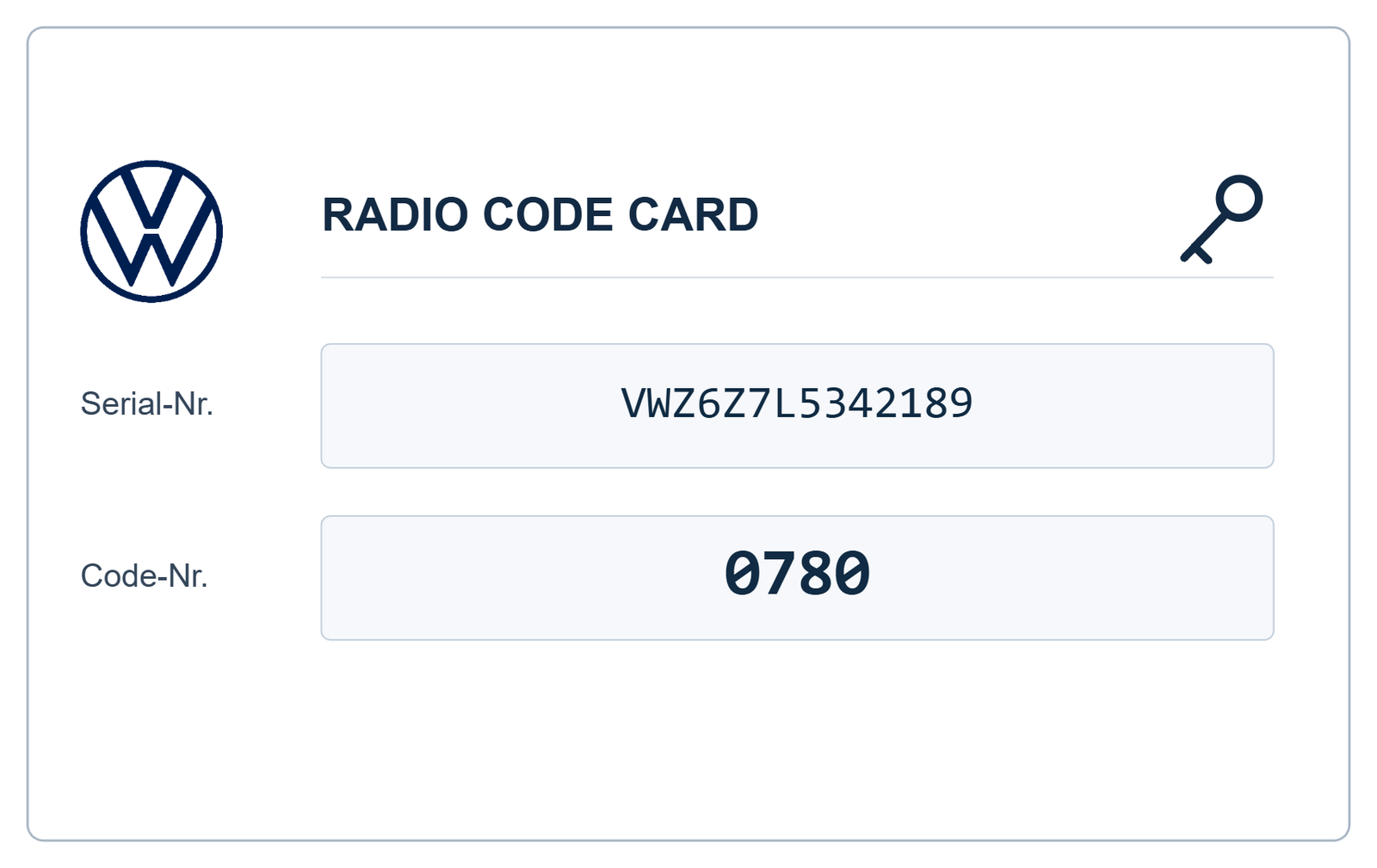
Many older Volkswagen radio serial numbers begin with VWZ. However, formats vary depending on the manufacturer and radio generation.
Where Can You Find Your VW Radio Serial Number?
On many older Volkswagen radios, the serial number is printed on an identification sticker attached to the metal housing.
Depending on the radio model, the label may be located on the top, side or rear of the unit.
How to Locate the Identification Label
- Switch off the radio and vehicle ignition.
- Use suitable radio removal tools if required.
- Carefully remove the radio from the dashboard.
- Inspect the manufacturer identification sticker.
- Record the complete serial number.
Take a clear photograph of the entire label if you are unsure which number is required. This helps prevent mistakes when submitting your request.
Which Volkswagen Radio Models Can You Request a Code For?
Volkswagen has used several factory-fitted audio and navigation systems across different vehicle generations. Compatible recovery options depend on the exact unit.
VW RCD Radio Systems
- VW RCD 200
- VW RCD 210
- VW RCD 300
- VW RCD 310
- VW RCD 510
VW RNS Navigation Systems
- VW RNS 300
- VW RNS 310
- VW RNS 315
- VW RNS 510
Some newer Volkswagen infotainment systems use vehicle-specific security and adaptation procedures instead of a traditional four-digit radio code. Always check compatibility before placing an order.
Why Would You Need to Request a VW Radio Code?
There are several reasons why a Volkswagen radio may require security authorisation.
After a Battery Replacement
Some older radio systems may request a security PIN after losing electrical power, depending on the vehicle configuration.
After Installing a Second-Hand Radio
A replacement radio from another Volkswagen may have different security information from the original factory unit. It may require its original code or an appropriate adaptation procedure.
After Radio Repairs
If your radio has been removed for repairs or transferred to another vehicle, you may need to identify the unit and check its security requirements.
Lost Original Security Card
If you purchased your Volkswagen second-hand, the original radio security card may be missing. An online code request can help you explore the available recovery options.
Can You Request a VW Radio Code Using the VIN?
The vehicle identification number (VIN) and radio serial number are different identifiers.
The VIN identifies your Volkswagen, while the radio serial number identifies the individual audio unit.
Authorised Volkswagen diagnostic procedures can retrieve security information using vehicle and radio identification data. However, if a replacement radio has been installed, its own identification details may be necessary.
For many online requests, the serial number of the currently installed radio is the most useful starting point.
What Does SAFE Mean on a Volkswagen Radio?
SAFE is an anti-theft security message displayed by various Volkswagen radio systems.
It generally means that the radio requires security authorisation or has entered a temporary waiting period after unsuccessful code attempts.
If your radio displays SAFE:
- Identify the exact radio model.
- Check the serial number carefully.
- Request the correct security information.
- Follow the instructions for your radio.
- Avoid entering random four-digit combinations.
Why Request Your VW Radio Code Online?
An online service can be a convenient alternative when your original security documentation is unavailable.
Instead of spending time searching through old vehicle paperwork, you can submit your radio details through an online request process.
VWCodes.co.uk offers:
- Online Volkswagen radio code requests.
- Identification using compatible radio serial numbers.
- Support for compatible RCD and RNS systems.
- A convenient online ordering process.
- Customer assistance with radio code requests.
Request Your Volkswagen Radio Code at VWCodes.co.uk
Have you lost your Volkswagen radio security code? Is your factory stereo requesting a PIN after a replacement or repair?
Start by identifying your radio model and locating its serial number. Once you have the required information, you can submit an online request through VWCodes.co.uk.
Our service is designed to make compatible Volkswagen radio code requests straightforward, helping you take the next step towards restoring access to your original audio system.
Ready to request your VW radio code?
REQUEST YOUR VW RADIO CODE ONLINE
Visit VWCodes.co.uk, submit your radio identification details and start your request today.
VWCodes.co.uk – Your online Volkswagen radio code request service.
Have your serial number ready?
Retrieve your genuine factory unlock PIN in less than 15 minutes. 100% money-back guarantee if the code doesn't work.